 by Albright Labs
Scanley
Print once. Update anytime. Track every scan.
Print today, point somewhere new tomorrow. And finally see how many people actually scanned that flyer, and when.
No credit card · Create in seconds · 5 free codes forever
Why Scanley?
Print materials with confidence. Change the destination later. Measure the result.
One QR for the URL, the WiFi, the email, the contact
Create QR codes for URLs, emails, WiFi networks and contact cards, plus short links, all in one dashboard.
Update the link without reprinting the flyer
Change where a code points after the flyer is printed. The code on the paper stays the same.
See which printed piece gets scanned
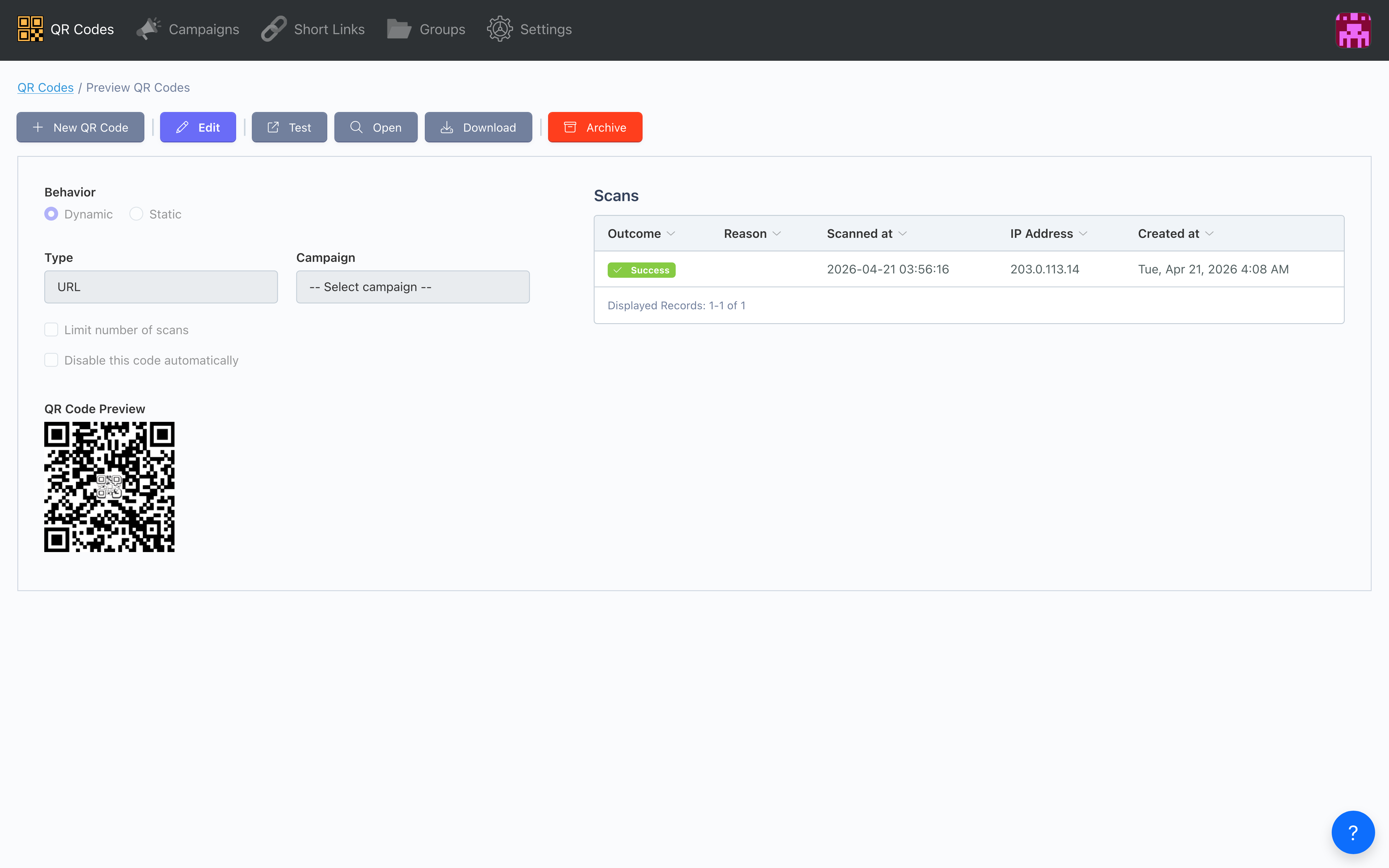
Every dynamic code counts its scans and unique visitors and logs the time and result of each one, so you can tell the conference banner from the mailer.
How Scanley works.
Create a code, print it, and watch the scans come in.
Create
Generate QR codes or short links in seconds. Choose from URL, email, WiFi, or vCard types.
Customize
Add colors, logos, and frames to match your brand. Set expiration dates and scan limits.
Track
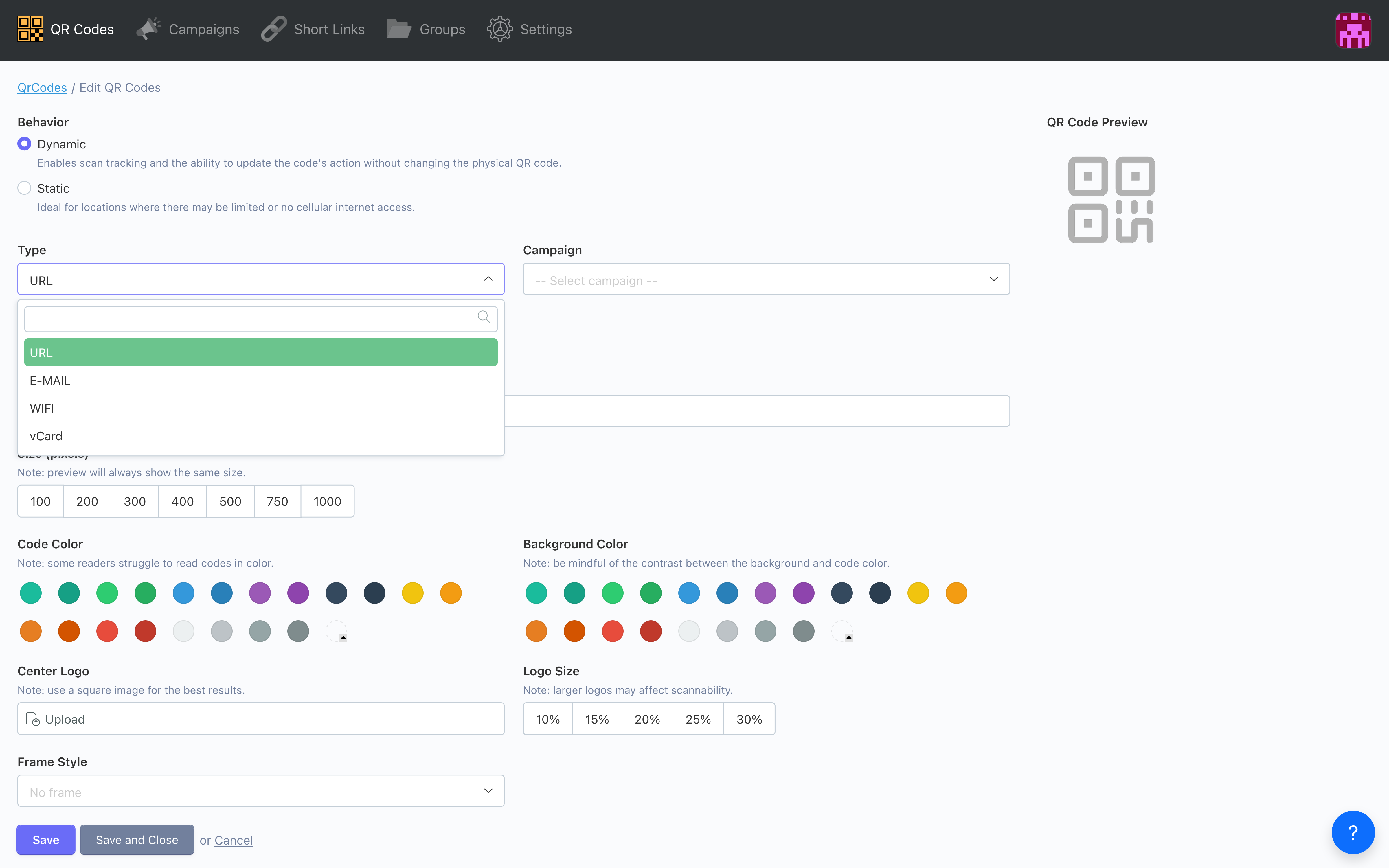
Watch scans and clicks come in. See totals, unique visitors, and the time and result of every scan. Your own test scans are not counted.
Built so print marketing earns its budget.
Dynamic codes you can change after print, a scan count for every one, and branded designs on Pro.
One code type for every job
URLs, emails, WiFi logins, vCards and short links, all from the same dashboard.
- URL QR codes for websites and links
- Email QR codes with pre‑filled subject/body
- WiFi QR codes for instant network access
- vCard QR codes for contact sharing
- Short links with 7‑character identifiers
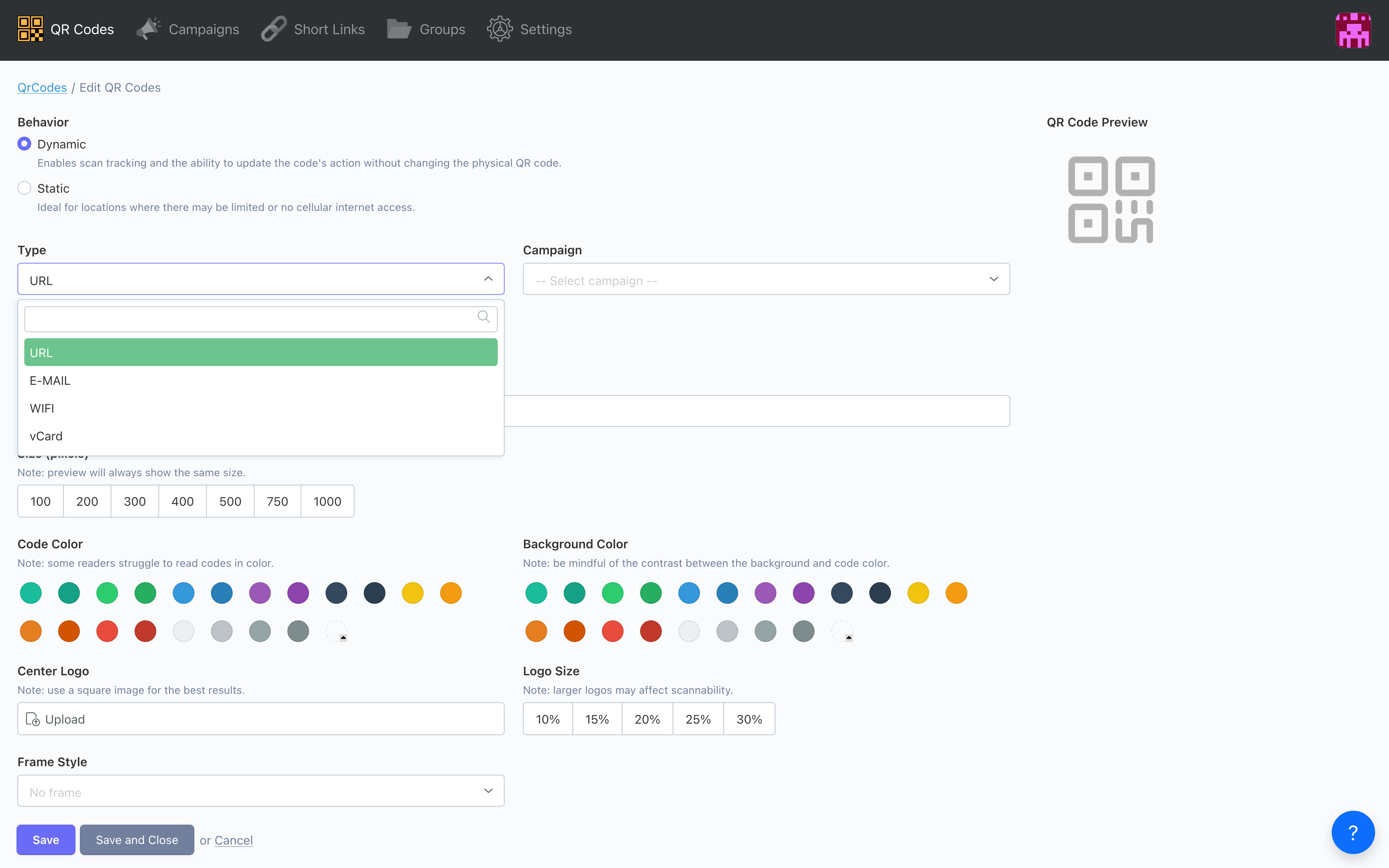
Match your brand. Pivot the destination anytime.
Update dynamic codes after printing (Basic and up). Add colors, a logo and a call-to-action frame to match your brand (Pro and up).
- Edit destinations after printing
- Custom colors and logo upload
- Frame styling with call‑to‑action text
- Expiration dates and scan limits
- Campaign and group organization
Know which printed piece earns its keep
Every scan of a dynamic code is logged with its time and result. Group codes into a campaign and see the combined total for the whole promotion.
- Total scans and unique visitors per code
- Time and result of every scan
- Your own test scans are not counted
- Campaign totals across many codes
- Team accounts: 3 users on Basic, 10 on Pro, unlimited on Enterprise
Simple, transparent pricing.
Choose the plan that fits your QR code and link needs
Free
- 5 QR codes & 5 short links
- URL QR codes only
- 1 campaign & 1 group
- Static QR codes
Basic
- 50 QR codes & 50 short links
- All 4 QR code types
- Dynamic QR codes
- 5 campaigns & 5 groups
- 30‑day analytics retention
Pro
- 500 QR codes & 500 short links
- Full customization (colors, logos)
- 25 campaigns & 25 groups
- 90‑day analytics retention
Enterprise
- Unlimited QR codes & short links
- Unlimited campaigns & groups
- 120‑day analytics retention
- Full customization & branding
- Priority support
Compare us to…
How Scanley compares with other QR code tools
Scanley vs Bitly
More than just link shortening with Scanley
Scanley vs QR Code Monkey
Track and manage your QR codes with Scanley
Scanley vs QR Code Generator
A free plan, short links, and codes that outlast your subscription
Scanley vs Rebrandly
Complete QR and link solution with Scanley
Frequently asked questions.
Quick answers for marketers and small business owners. Reach out to our team.
What's the difference between static and dynamic QR codes?
Static QR codes encode data directly in the code and can't be changed after creation. Dynamic QR codes redirect through our servers, so you can update the destination anytime, even after printing, and every scan is counted. Dynamic codes come with Basic and above; the free plan makes static URL codes.
Can I edit a QR code after printing it?
Yes, if you create a dynamic QR code on Basic or above. You can change the destination URL, update expiration dates, or adjust scan limits at any time without reprinting the code itself.
What analytics do you track?
For each dynamic QR code we count total scans and unique visitors and log the time and result of every scan. Short links also record where the visitor came from. Scans you make while signed in are not counted, and campaigns add up the totals for a whole promotion. We do not break scans down by country, city or device.
How many QR codes can I create?
Free accounts can create 5 QR codes and 5 short links. Basic ($15/mo) allows 50 of each, Pro ($30/mo) allows 500, and Enterprise offers unlimited QR codes and short links.
Do QR codes expire?
By default, QR codes don't expire. On paid plans you can set an optional expiration date or scan limit to control how long a code stays active. If your subscription lapses or you move to the free plan, your dynamic codes keep working and send people to their last destination; you just need Basic or above to change them again.
Can I add my logo to QR codes?
Yes. Pro and Enterprise plans include custom colors, a logo in the center, and a frame with a call-to-action such as 'Scan Me', 'Scan for Menu' or 'Scan to Pay'.
Change the destination after the flyer is printed.
See which flyer, banner or mailer actually got scanned.
No credit card · Create in seconds · 5 free codes forever